


I tried to find a right indicator to find the havest timing for Golden Hami Melon
But, the most information in web blog / youtube is not saying the right information for me,
So, I made by myself
> Environment : back yard rsing bed
> Type : golden hami melon
> Start : seed
> Location : North bergen, NJ USA
> Size : 11~14" long, 6.5~8.5" diameter
Some indiciates
> Smell :: Completely wrong, hami melon do not have a ordor
> Color :: It is impossible to find to decide, because Hami melon is ripping after fully colored
> Net shape :: Patially correct,
The key point is the net sharp near stem.
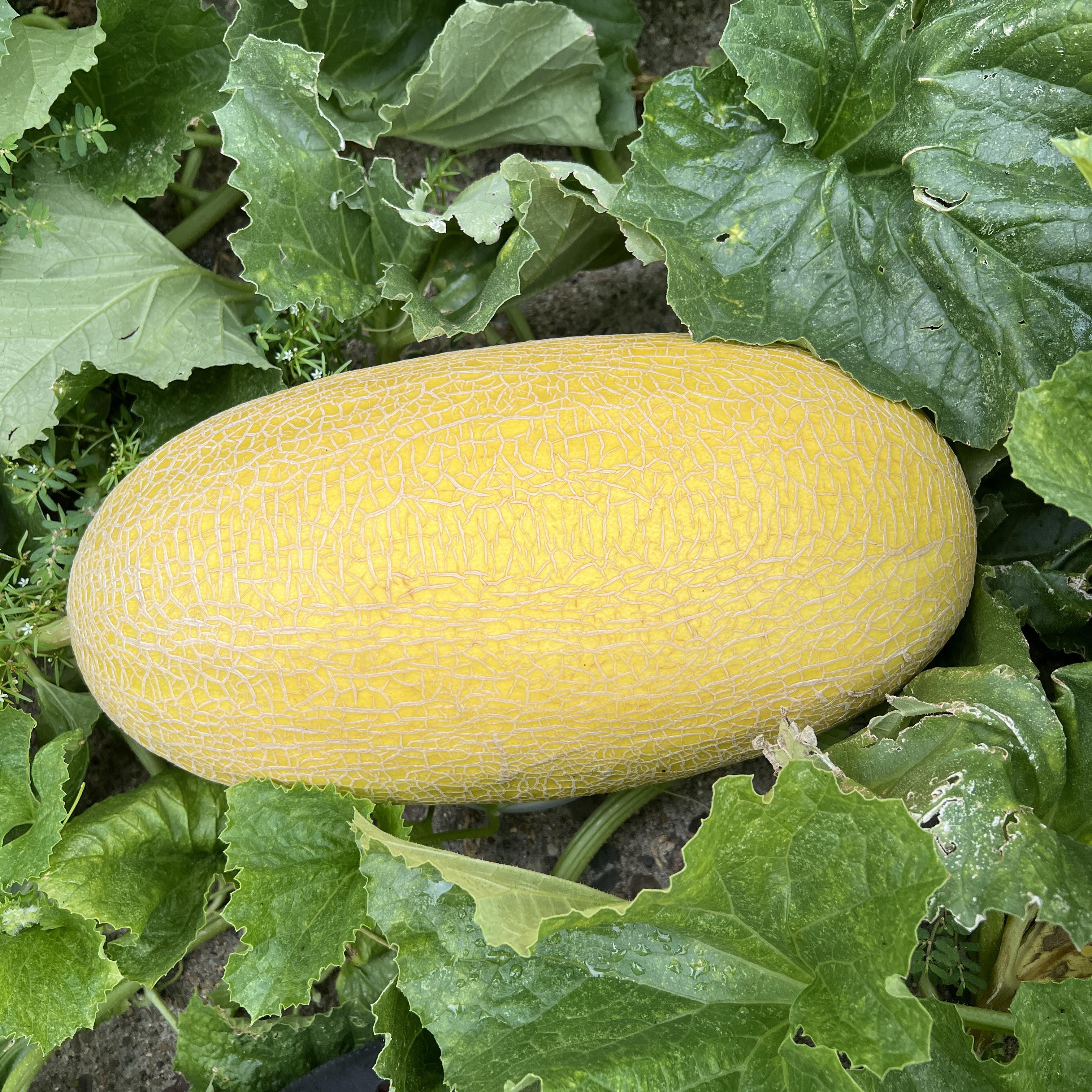
Let me share some photos
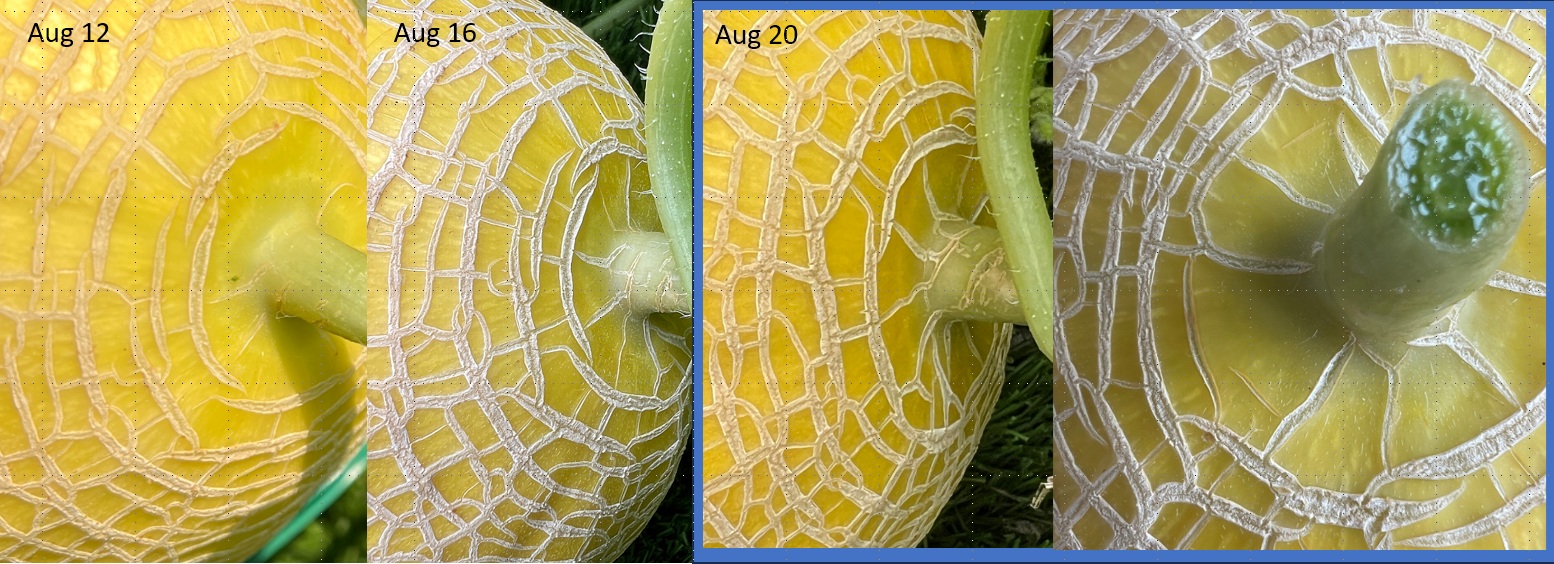
Look at the last circled net near stem, and, the net (from the stem) has connected on the circuile completely.
This is the first good indicate the melon ripped,
In the photo, you can see the narrow crack near stem in left-bottom of the last photo.
That is the last circle but not completed. it will takes 2~3 days to be completed.
But, I havested because the continuous rain forecast over two days.
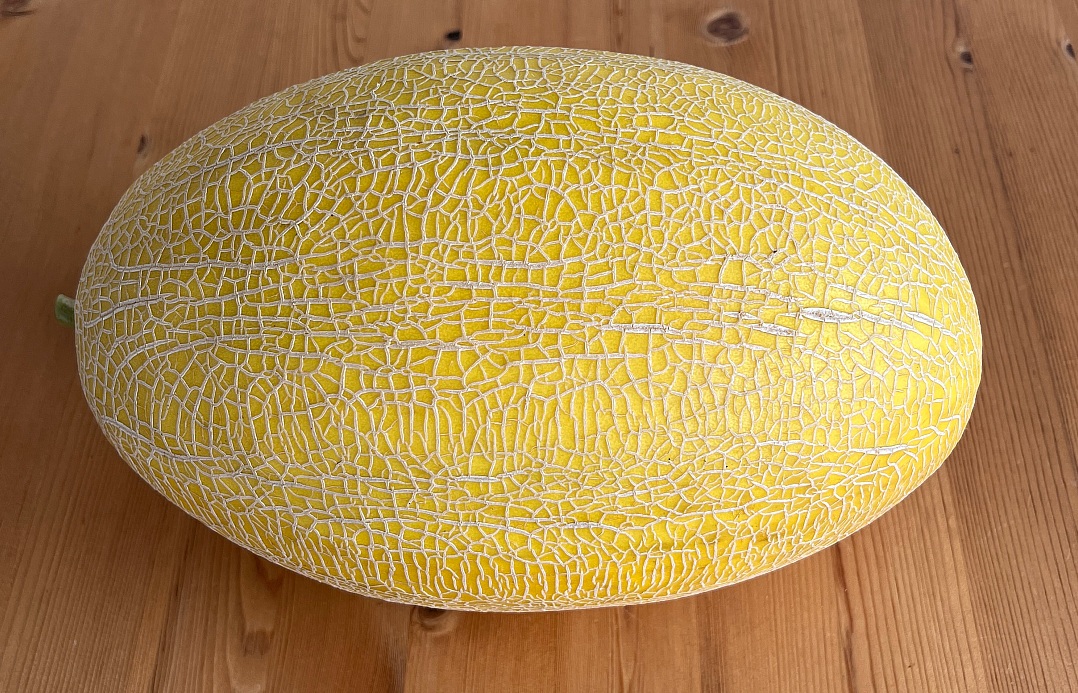
This 7.5" diameter, and 13"
It is the pretty normal size, biggest one is 8" x 14", but it is little smaller
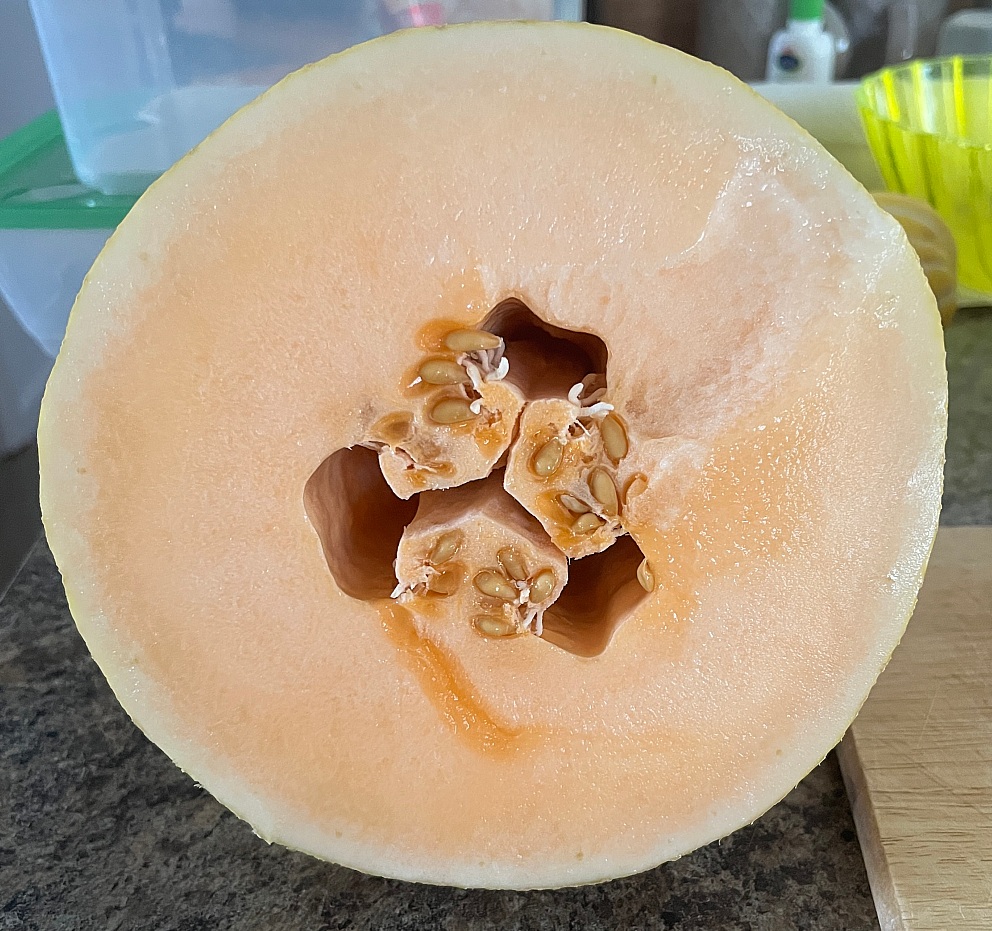
After aging at room temperature for 24 hours, and then, cooled for 24 hours.
This is the real fresh color of melon, actually, really ... really ... sweet and crispy.
Note. may small garde
- 기존 eSIM 정리 및 Wi-Fi 연결 차단
- T-Mobile 고객센터를 통해 기존 eSIM 프로필을 삭제(혹은 재발급 신청)하고, 아이폰의 Wi-Fi를 잠시 완전히 끕니다. 인터넷을 차단해야 아이폰이 멋대로 eSIM을 다운로드하는 것을 막을 수 있습니다.
- 한국 물리 유심(Physical SIM) 먼저 장착 후 재부팅
- 한국에서 구매한 플라스틱 유심 카드를 트레이에 넣고 폰을 껐다 켭니다.
- 인터넷이 없는 상태이므로 아이폰은 오직 물리 유심만 인식하며, 이 유심을 하드웨어 기본값인 IMEI 1 슬롯에 강제로 고정시킵니다.
- Wi-Fi 켜고 T-Mobile eSIM 다운로드
- 이제 Wi-Fi를 켜서 인터넷을 연결합니다.
- T-Mobile 고객센터에 연락하여 Wi-Fi를 통해 eSIM을 새로 푸시(Push)해달라고 하거나 QR 코드를 스캔합니다.
- 결과: 아이폰은 이미 IMEI 1 슬롯이 한국 유심으로 '사용 중(Busy)'인 것을 감지하고, 어쩔 수 없이 새 eSIM 프로필을 비어 있는 IMEI 2 슬롯에 할당하게 됩니다.
📌 iOS의 '게으른(Lazy) 코드' 이점 활용:
이렇게 한 번 할당되고 나면, iOS 내부 프로필 플래그에 T-Mobile은 'IMEI 2'로 영구 박제(?)됩니다. 나중에 한국 유심을 잠시 끄거나 빼고 재부팅하더라도, T-Mobile eSIM이 스스로 IMEI 1로 기어 올라가지 않고 IMEI 2 자리를 꿋꿋이 지킵니다. 덕분에 한국 유심을 다시 켜면 언제든 IMEI 1에서 정상 작동합니다.
- 초기 세팅 시 Wi-Fi 연결 건너뛰기
- 새 아이폰 전원을 켜고 언어/지역 설정을 한 뒤, Wi-Fi 연결 화면이 나오면 연결하지 말고 일단 넘어갑니다.
- 한국 유심 먼저 장착
- 한국 물리 유심을 새 폰에 먼저 꽂고 재부팅합니다. 셀룰러 신호만 잡히게 하여 IMEI 1을 한국 유심이 선점하게 만듭니다.
- 그다음 Wi-Fi 연결 및 iCloud 복원 시작
- 이제 Wi-Fi를 켜고 Apple ID를 로그인한 뒤, "iCloud 백업에서 복원"을 진행합니다.
- eSIM 전송 팝업 처리
- 복원 도중 *"이전 폰에서 T-Mobile eSIM을 전송하시겠습니까?"*라는 팝업이 뜨면 **[예(전송)]**를 누릅니다.
- 이미 IMEI 1은 한국 유심이 차지하고 있으므로, 백업 매니저는 자동으로 T-Mobile eSIM을 IMEI 2 슬롯에 다운로드하게 됩니다.
- 설정 > 셀룰러 > 셀룰러 데이터: 무조건 **'한국 유심'**으로 지정
- 셀룰러 데이터 전환 허용: 무조건 '끄기(OFF)' (한국 신호가 약해질 때 폰이 알아서 T-Mobile 데이터 로밍을 쓰는 것을 원천 차단)
- 기본 음성 회선: 한국 유심 (현지 통화용)
- T-Mobile 회선 설정: 회선은 '켜두되(ON)', 내부에 있는 **'데이터 로밍' 스위치는 '끄기(OFF)'**로 설정. (이렇게 해야 미국에서 오는 문자메시지/인증번호를 Wi-Fi 상태나 백업 전송 기능을 통해 무료로 받아볼 수 있습니다.)
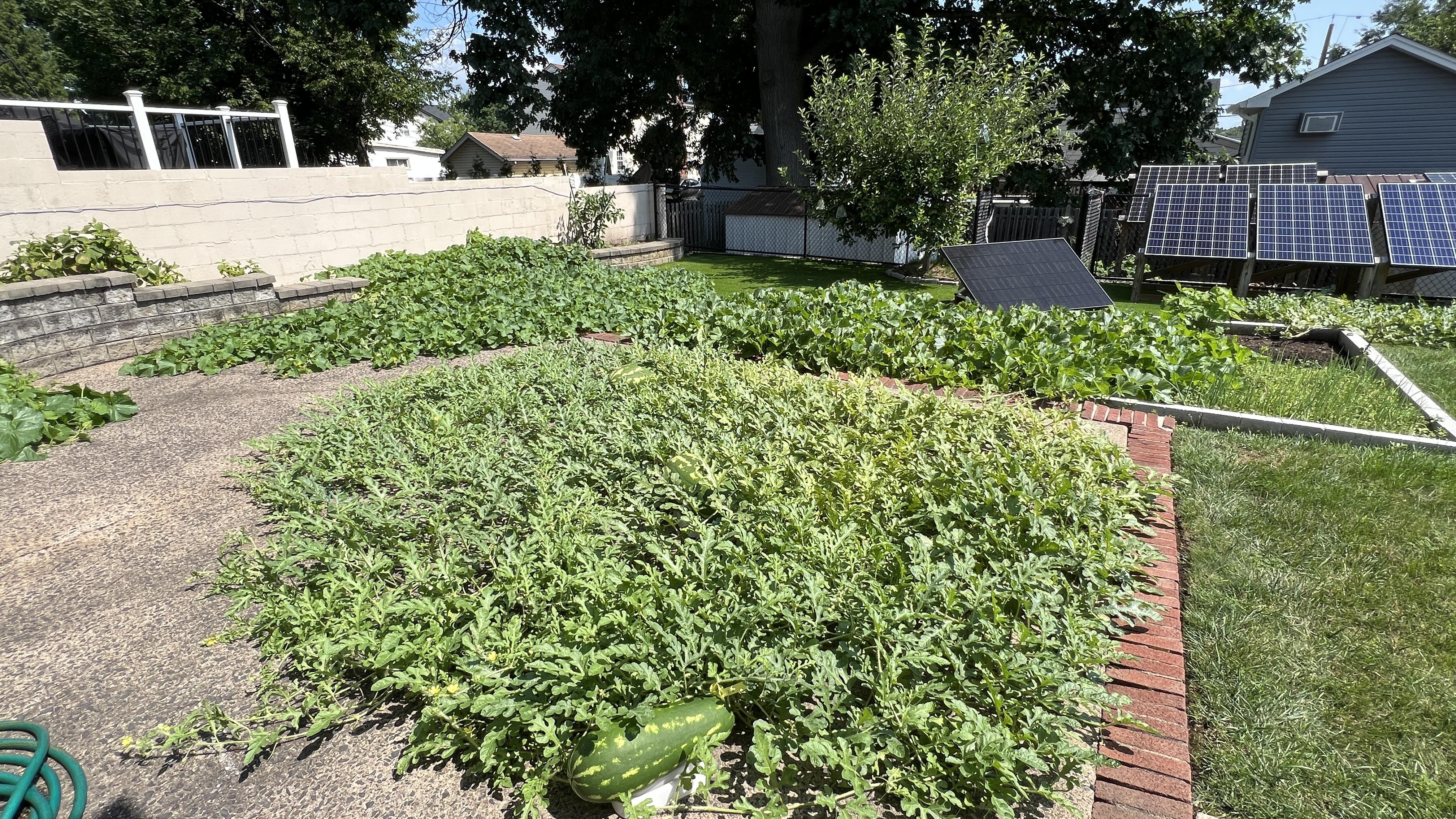
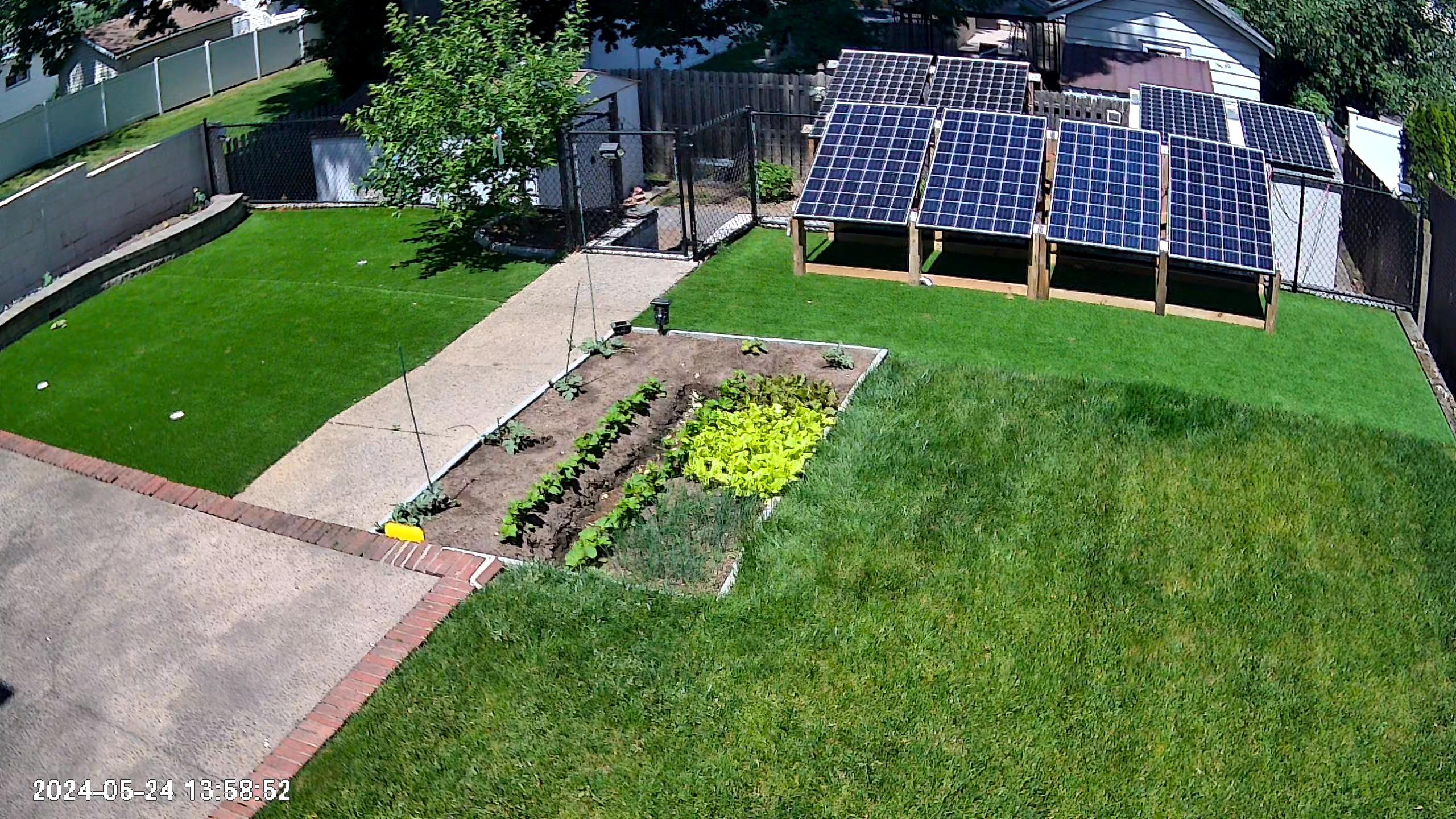
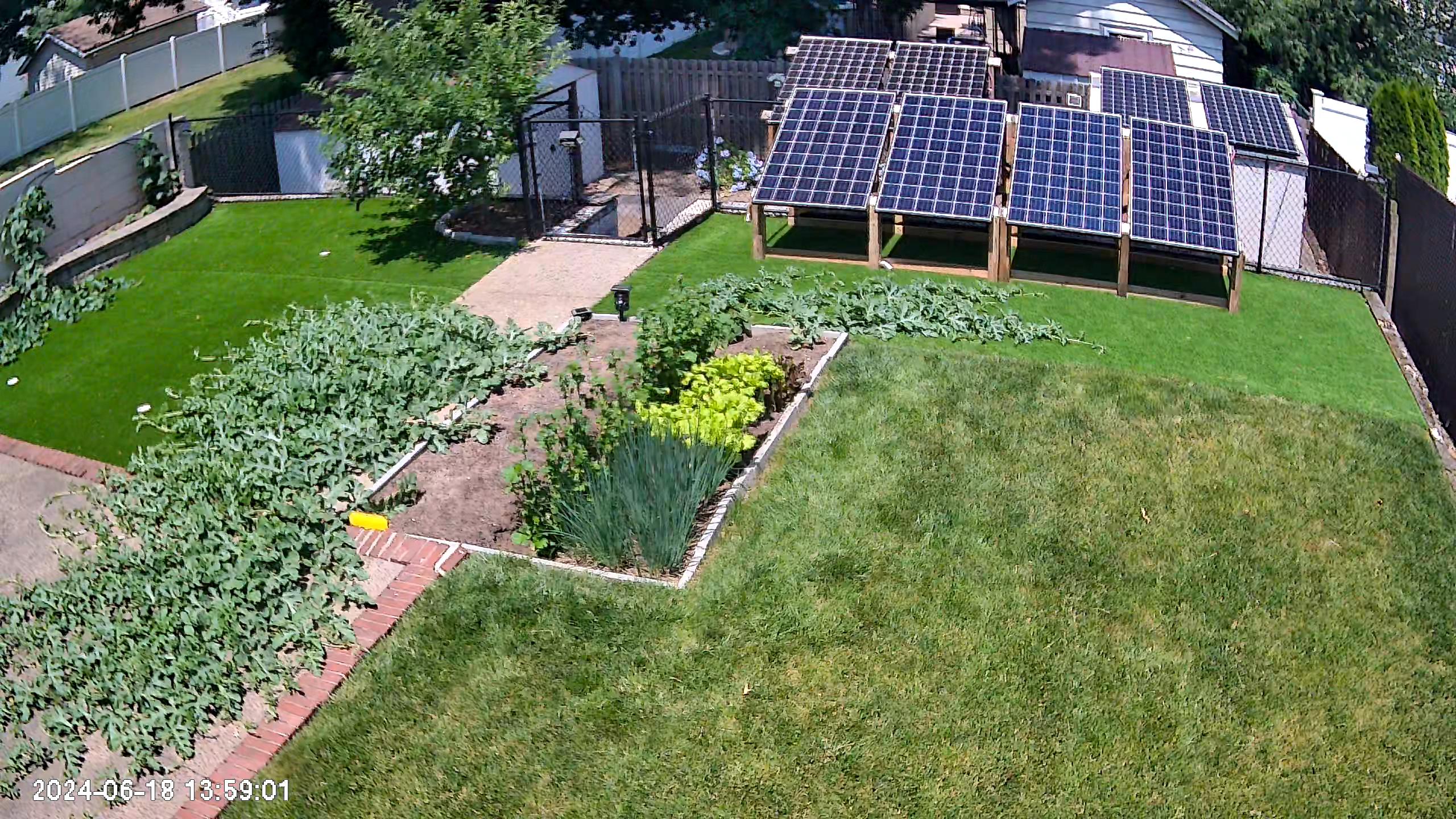
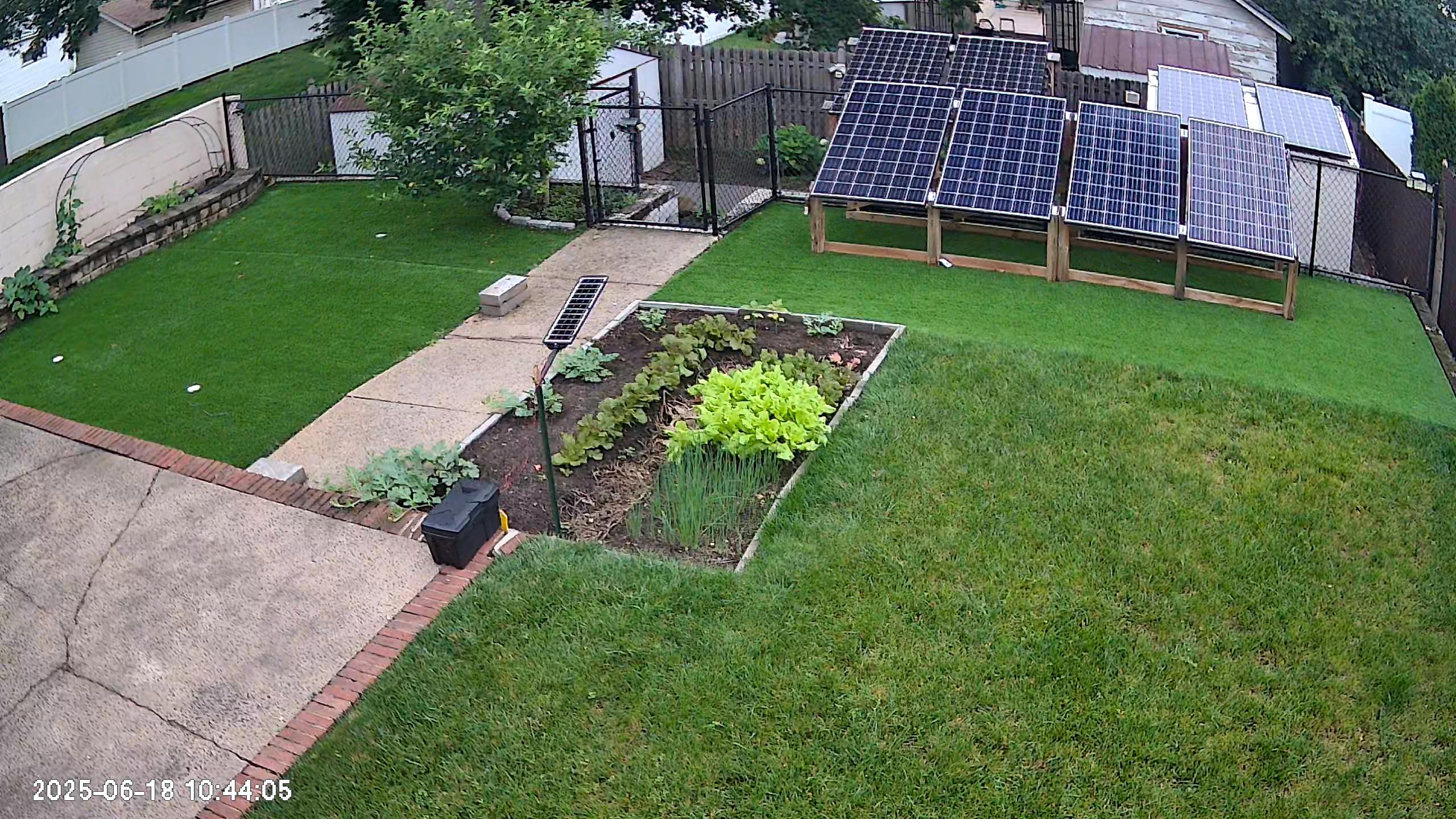
I am currently cultivating Allsweet watermelons, Korean melons, and Hami melons in my backyard garden
This Hami melon is 4 weeks old and needs a minimum of 2~3 more weeks to ripen fully.
Water melon
Pumping the resouce from the root, so, need more leaves and longer stem after the fruit
(1) Need a huge amount of Mg - 10~15g per fruit
(2) Start coloring in 3 weeks, and become pink in 4 weeks.
(3) If Mg deficiency observed, remove all fruit under 3 weeks, the vine will dead within 2 weeks.
(4) Need 1.5sqm for one fruit.
The other melon
Pumping and Pushing the resouce from the leaves on the mother stem, not much need leaves on the stem which has the fruit. but, need more leaves on the mother stemp. remember the lower leaves after branch is not working for the stem.
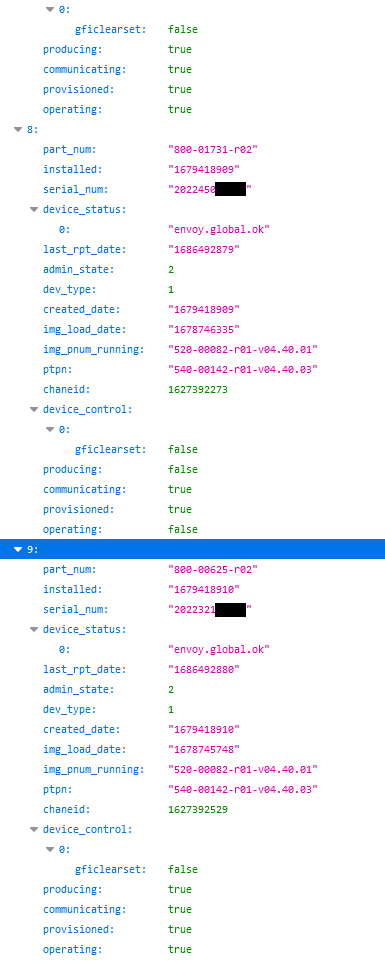
This is the inventory.json data from Enphase Envoy Gateway,
There are 4 flags as producing/communicating/provisioned/operating.
Each flag has true or false value.
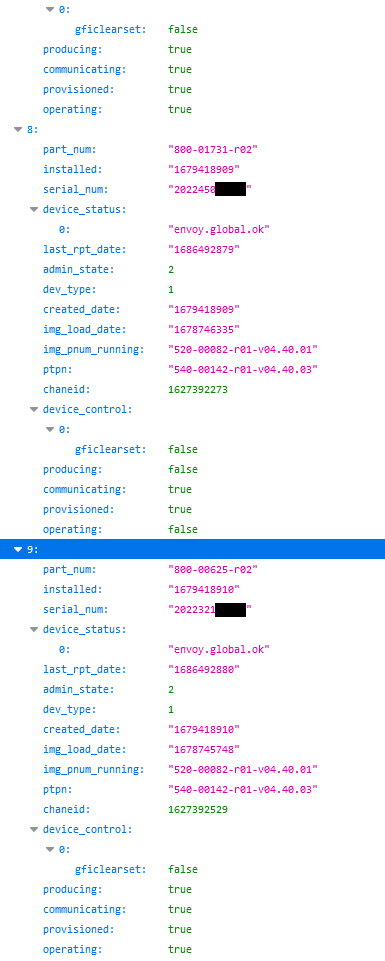
Some inverters are showing false for producing/operating flags.
I have tracked the actual production, but, the inverters are producing/operating normally.
Just flags are showing as false.
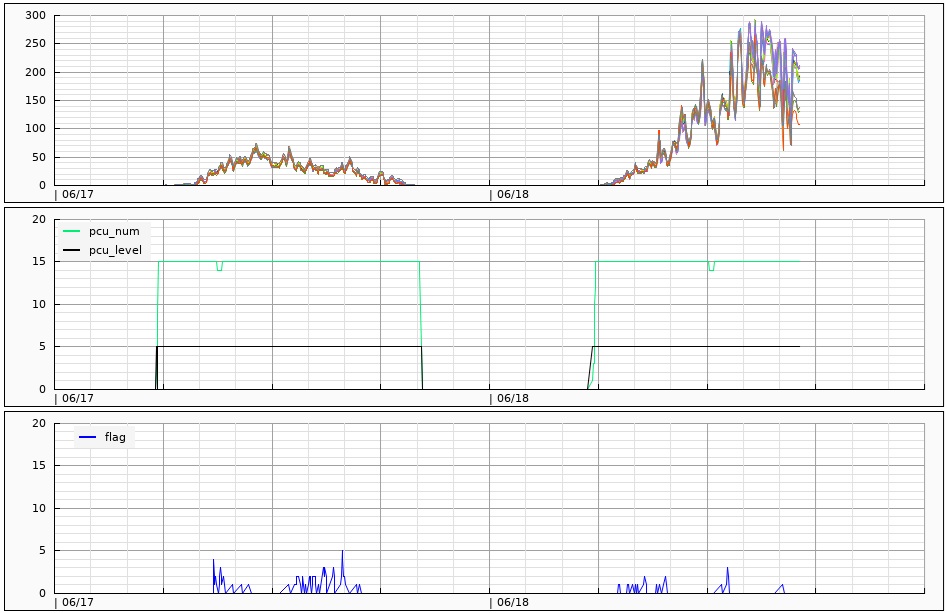
It is showing when the flag error is more happening,
and, I found that is caused with my next door under 'cross-domain-error'
This interference is not happening while low production status such as 0.5kW or lower,
Maybe I am ignoring the flag check when 'low power DC' status,
so, I want to say the flag error is happening but not showing in the graph.
when production power is going over 1kW, the flag error has been gone,
Actually, power line noise is going-up over the signal from my next door,
so, no more interference are happening.
Because some communication loss issue when installed PLC filter, I have removed it.
The X capacitor in PLC filter can reduce the signal level from inverters, and it disturbe a communcation.
after remove the filter, the signal from next door is coming in more easily.
I have increase the line impedance using inductors up to 100Ohm.
But, it can not stop the signal enough because no bypass Y capacitor.
Even can avoid a communcation error between gateway and inverter after removing PLC filter.
There is no clear solution to resolve the communcation conflict with my next door.
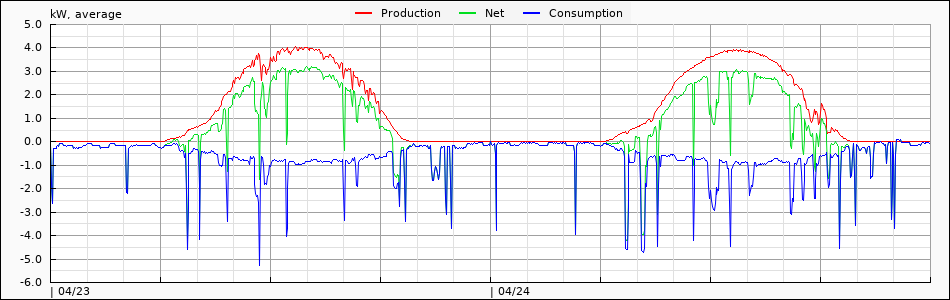
The blue line is the power consumption, and red-line is the production power from Enphase Gateway.
You can see some strange behavior, Power consumption looks line a reflection of production.
High production power stage it is showing much deeper
it can be happening when Consumtion CT connection is no good, or not climped well at L1/L2 line side.
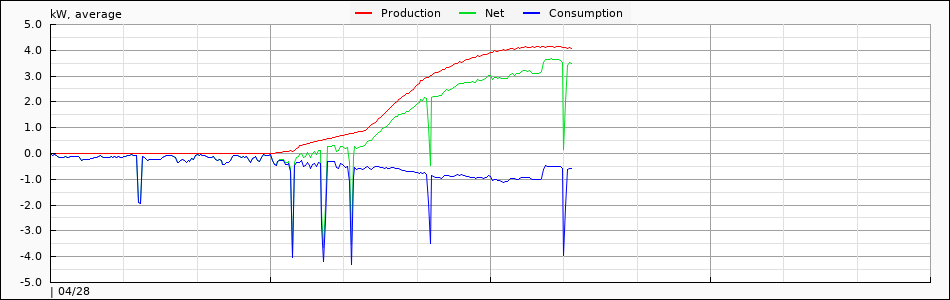
I just fixed the connection of Consumption CT, and the power consumption become normal, it is matched with actual value around 500W.
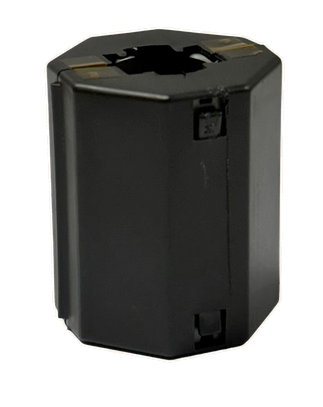
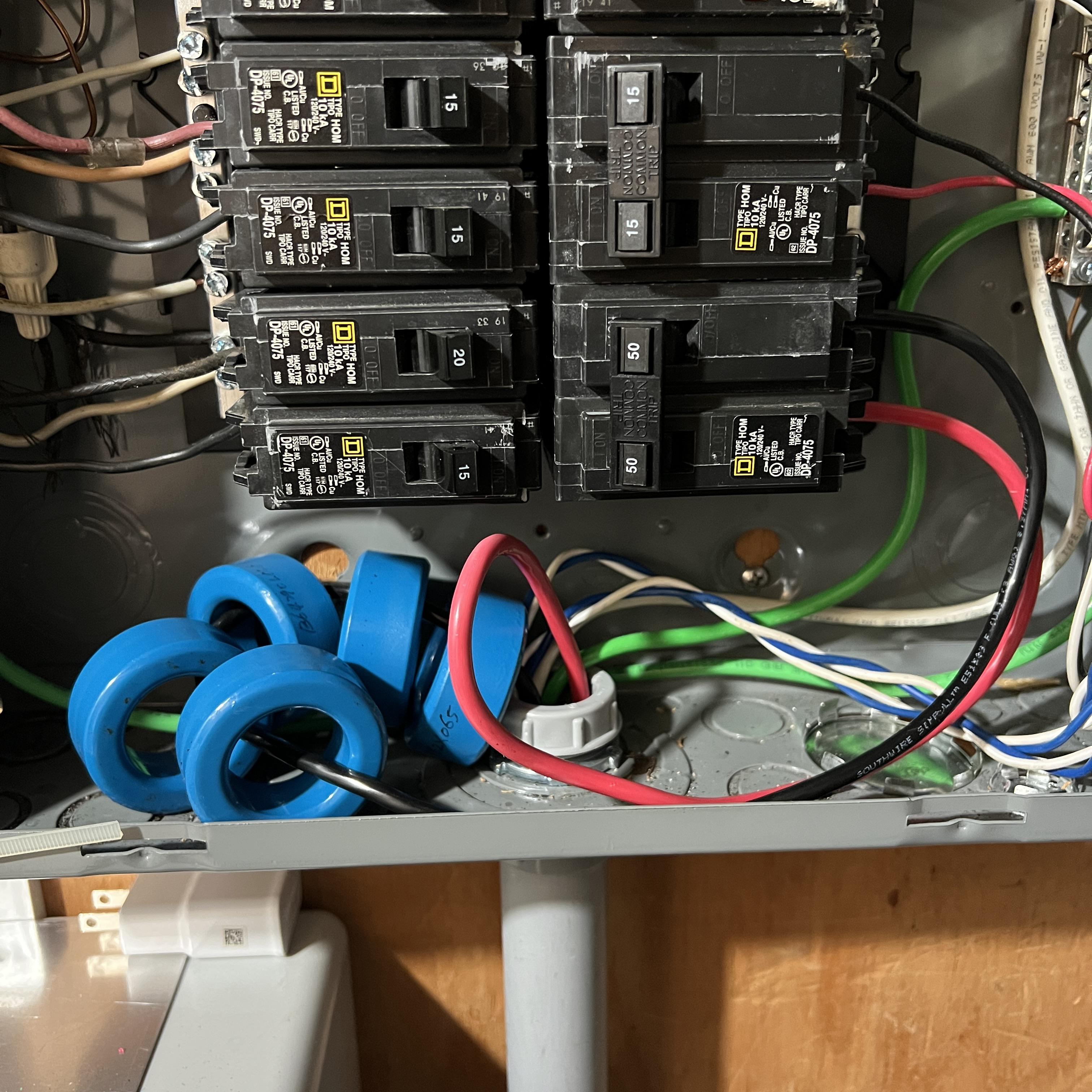
This is the ferrite core 30A/65A
Fair Rite 0475176451 for 65A
Fair Rite 0475164181 for 30A
Those ferrites are not high current model, so, need put a gap
Enphase has applied 0.065mm Kapton Tape one 4 sides, and it makes 0.26mm gap.
This is the reference table
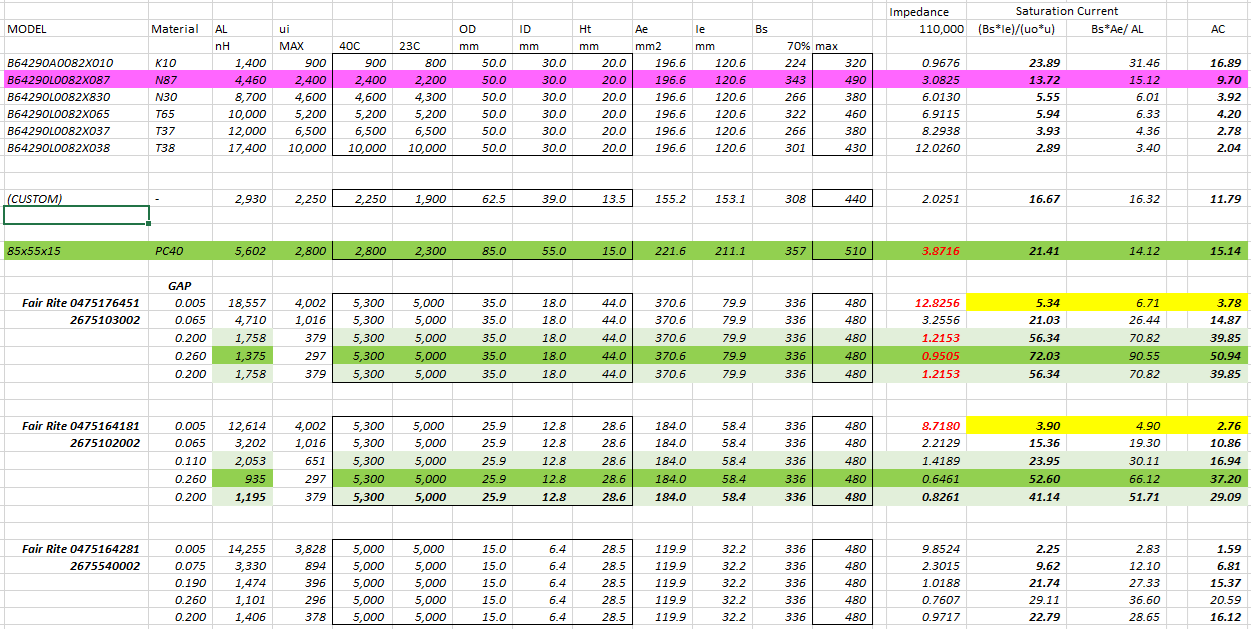
65A model can support upto 72A with 70% of Bs
30A model can support upto 53A with 70% of Bs
I have used 0.1mm x 2 = 0.2mm tape to reduce the gap, and reduced current as 56A.
and, 2 pass widing to increase the impedance 4x, and reduce the staturation current as 28A.
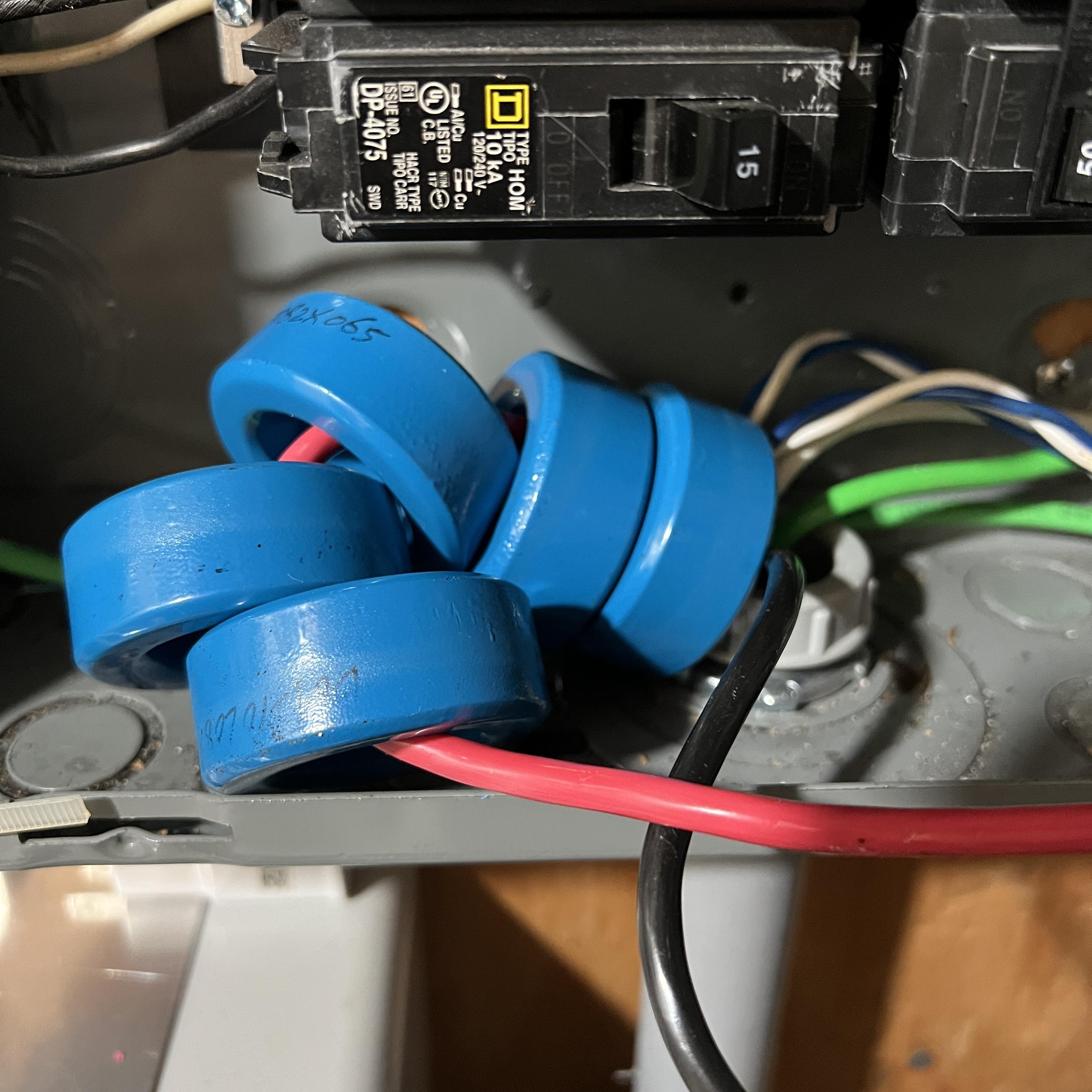
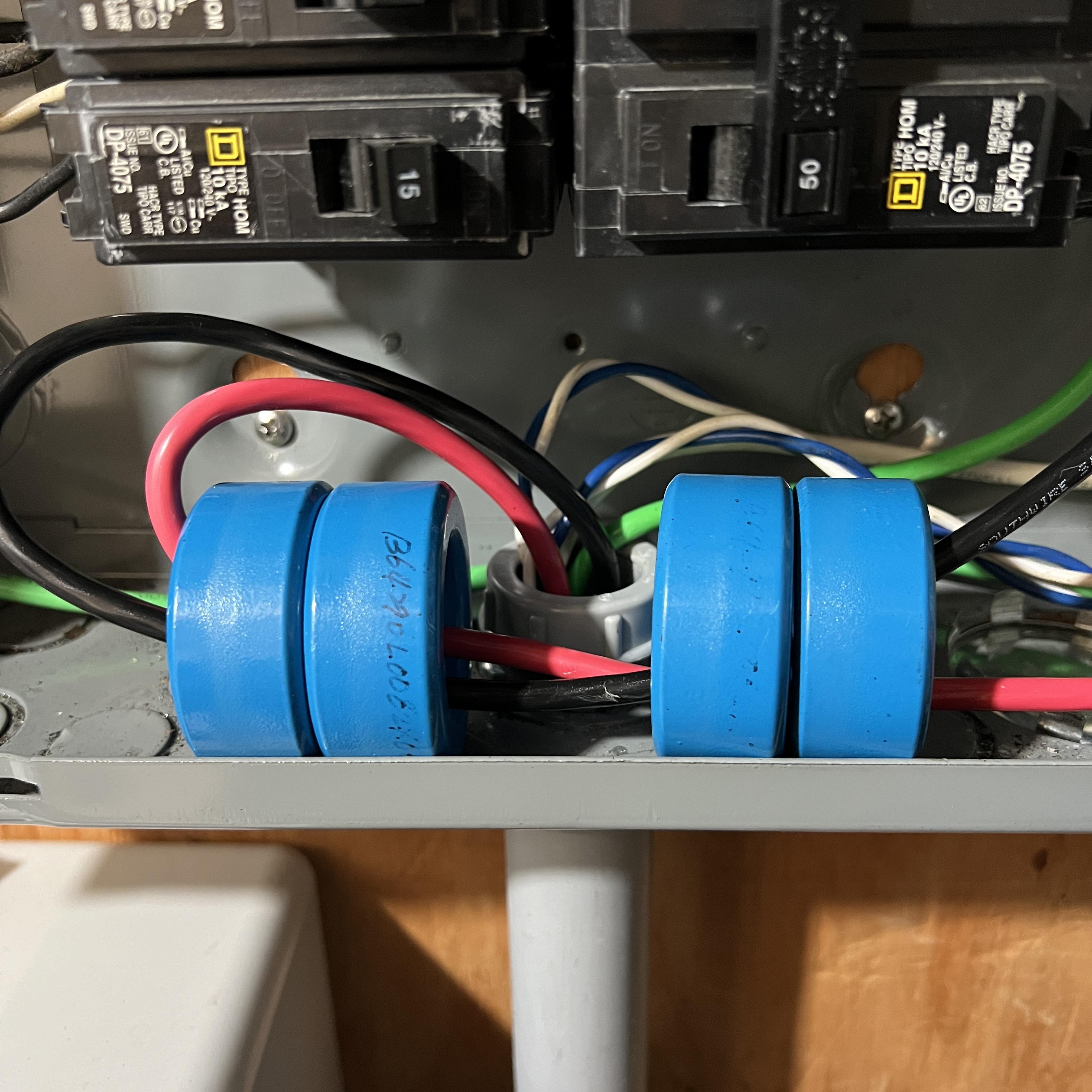
using 4 ferrites, I have set 19Ohm @ 110kHz
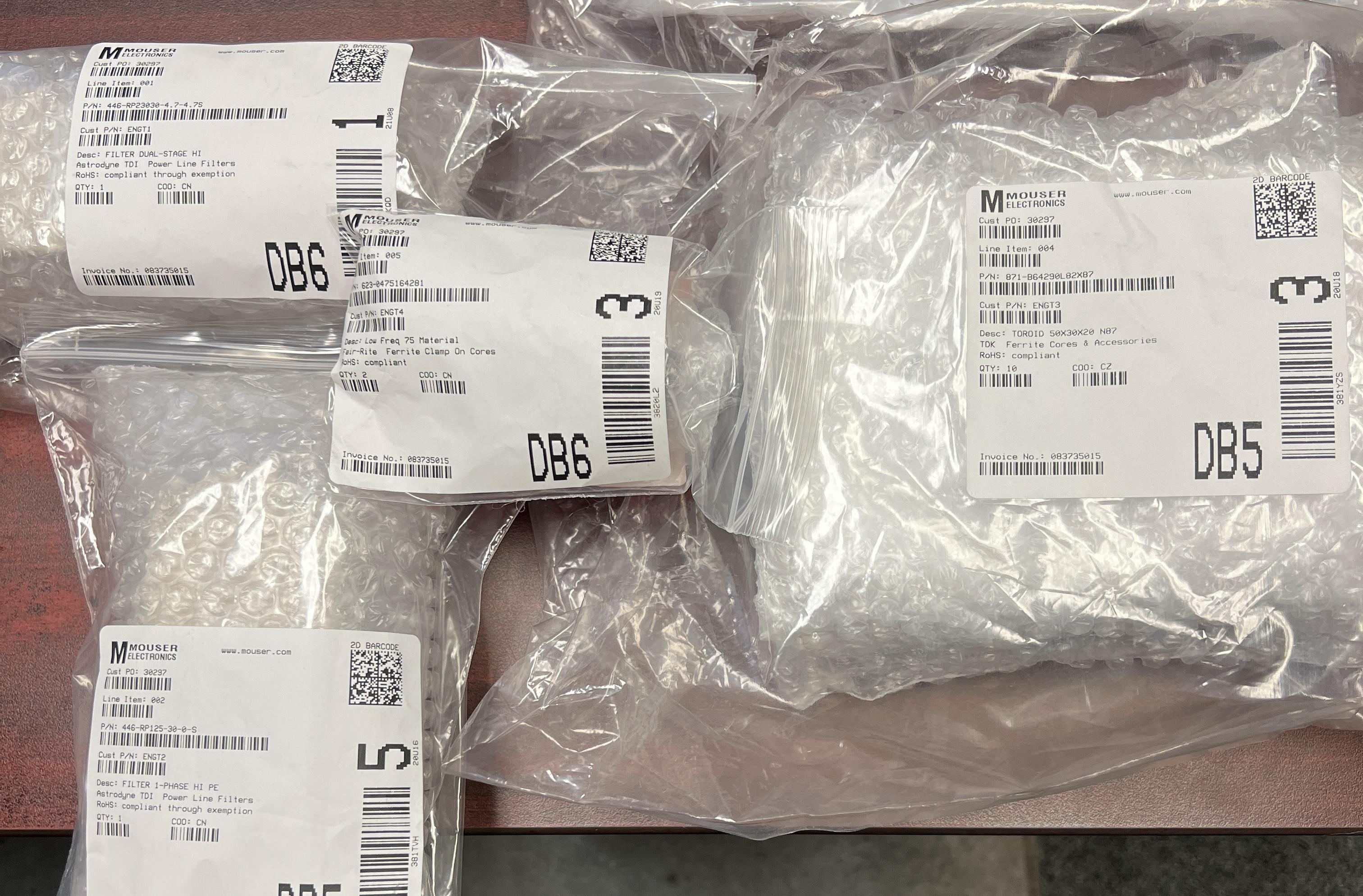
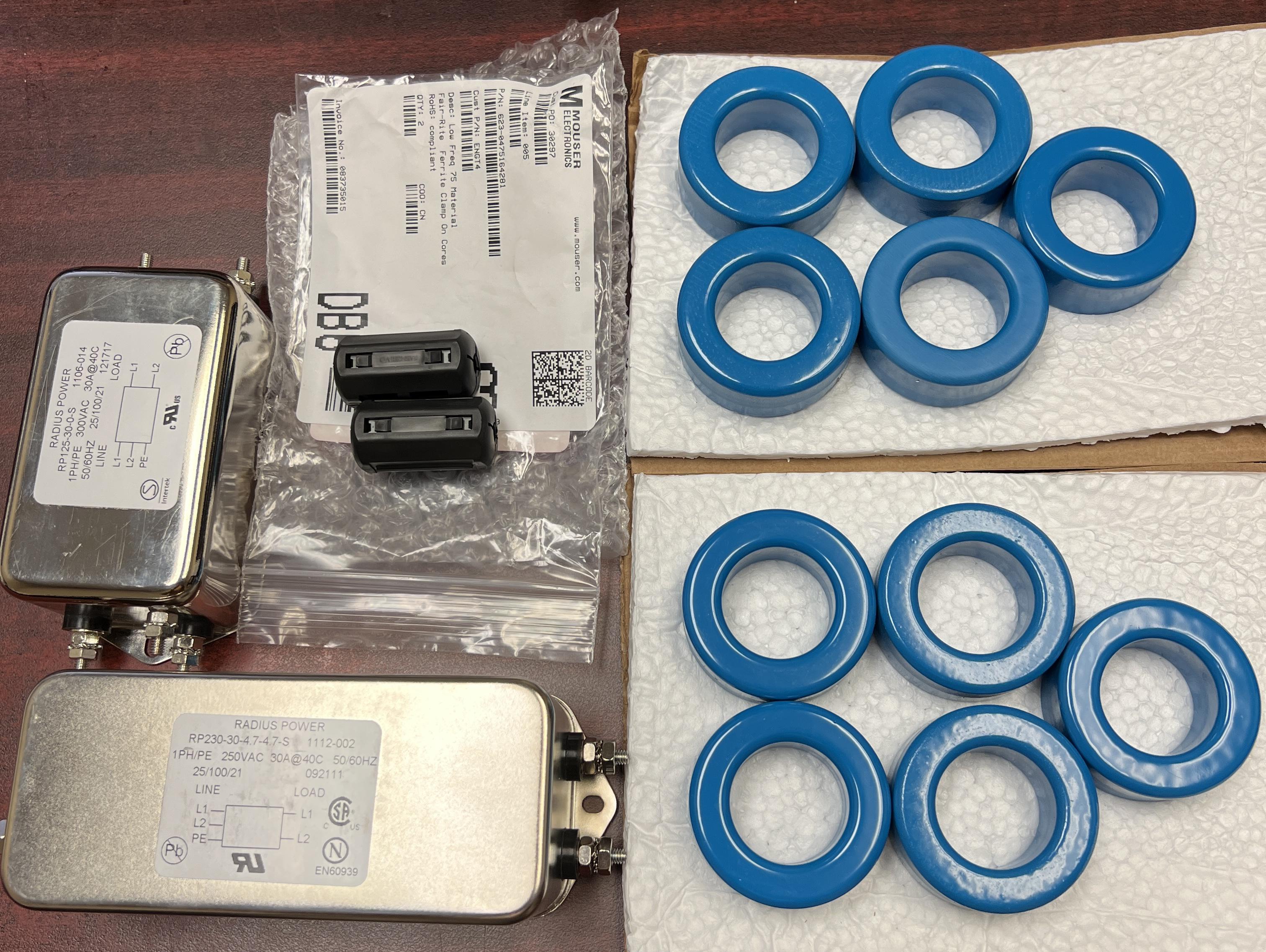
Today, I have received Power Line Filters and Ferrites
RP125-30-0-S It is single stage power line filter, and there is no Y capacitor, It can avoid a capacitor loss. and, much less power loss while production
RP230-30-4.7-S it is double stage power line filter with 4.7nF Y capacitor. I have RP230-30-10-S at the combiner box. maybe too much to try.
B64290L82X87 TDK 50mm ferrite core, I have used B64290L0082X065. But, I have decided to test with this ferrite becuase some reasons
1) X065 have 8~9A staturation current, but, this one have 21-22A
2) X065 has 10uH, and X087 has 4.460uH, so, I need more ferrites to get a similar result
Fair-Rite 0475164281 it is ferrite clamp, it is really hard to find a effective ferrite which can help to filter 100~120kHz noise. this is the lower frequency model, and will try on C-CT for isolate it also (even it is not make sense)
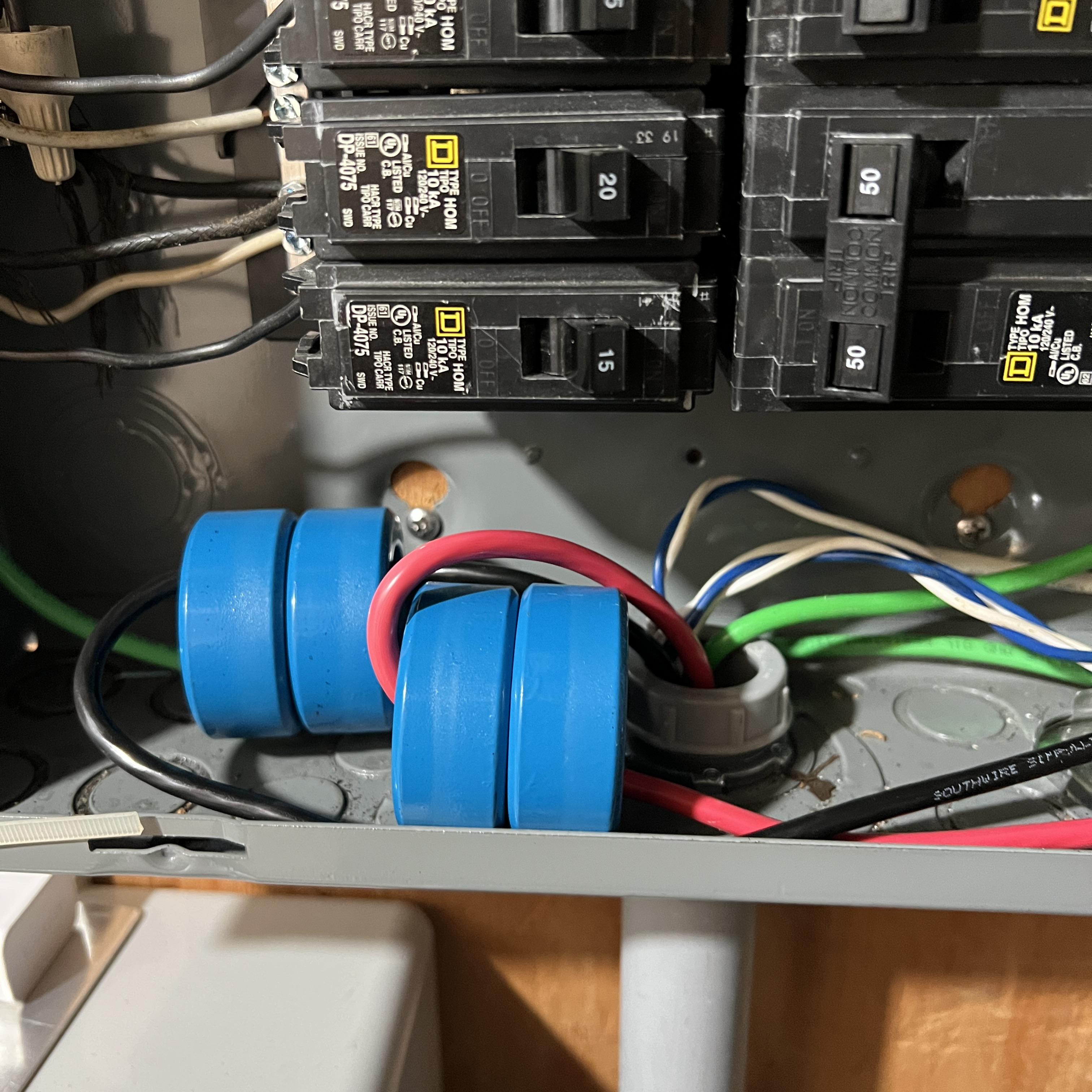
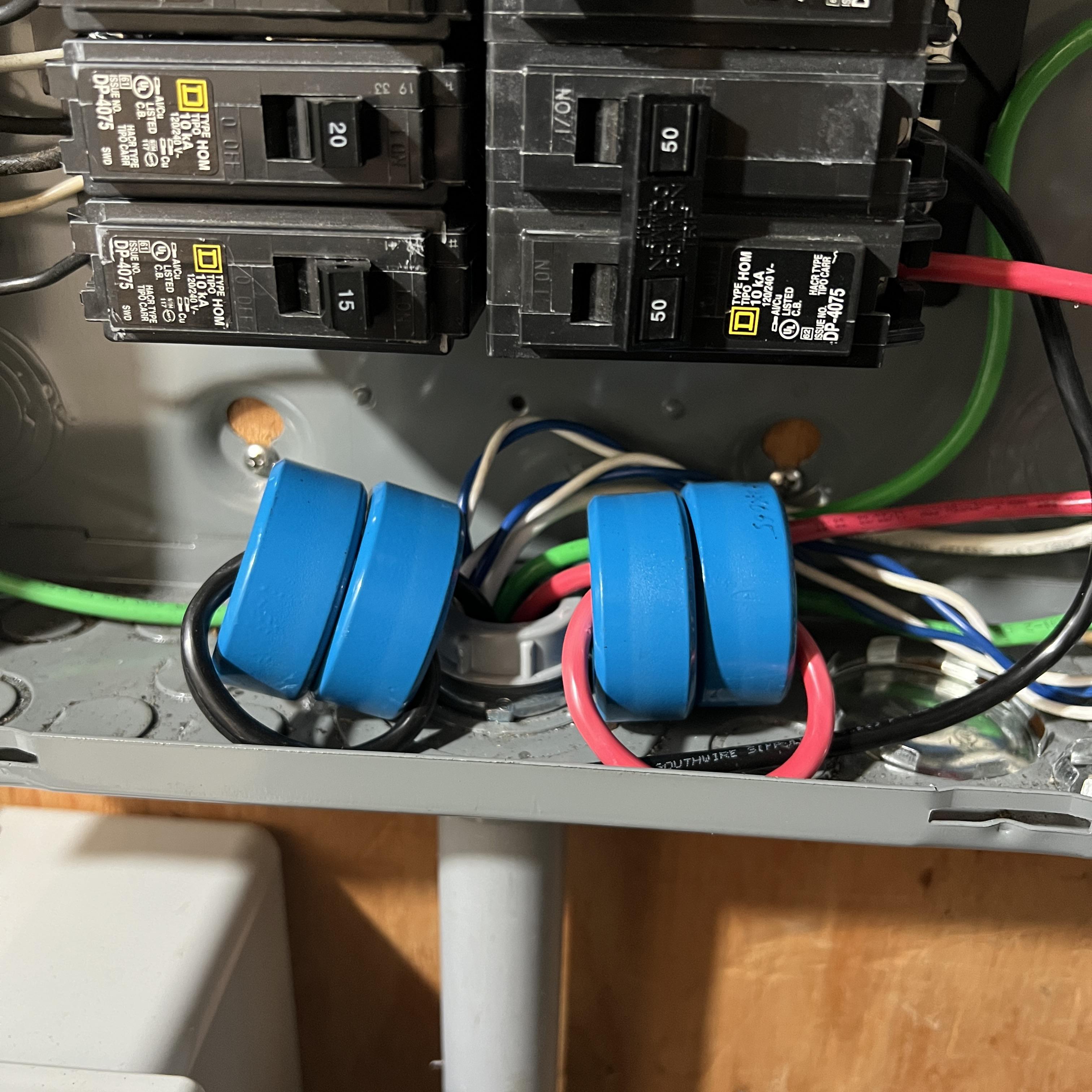
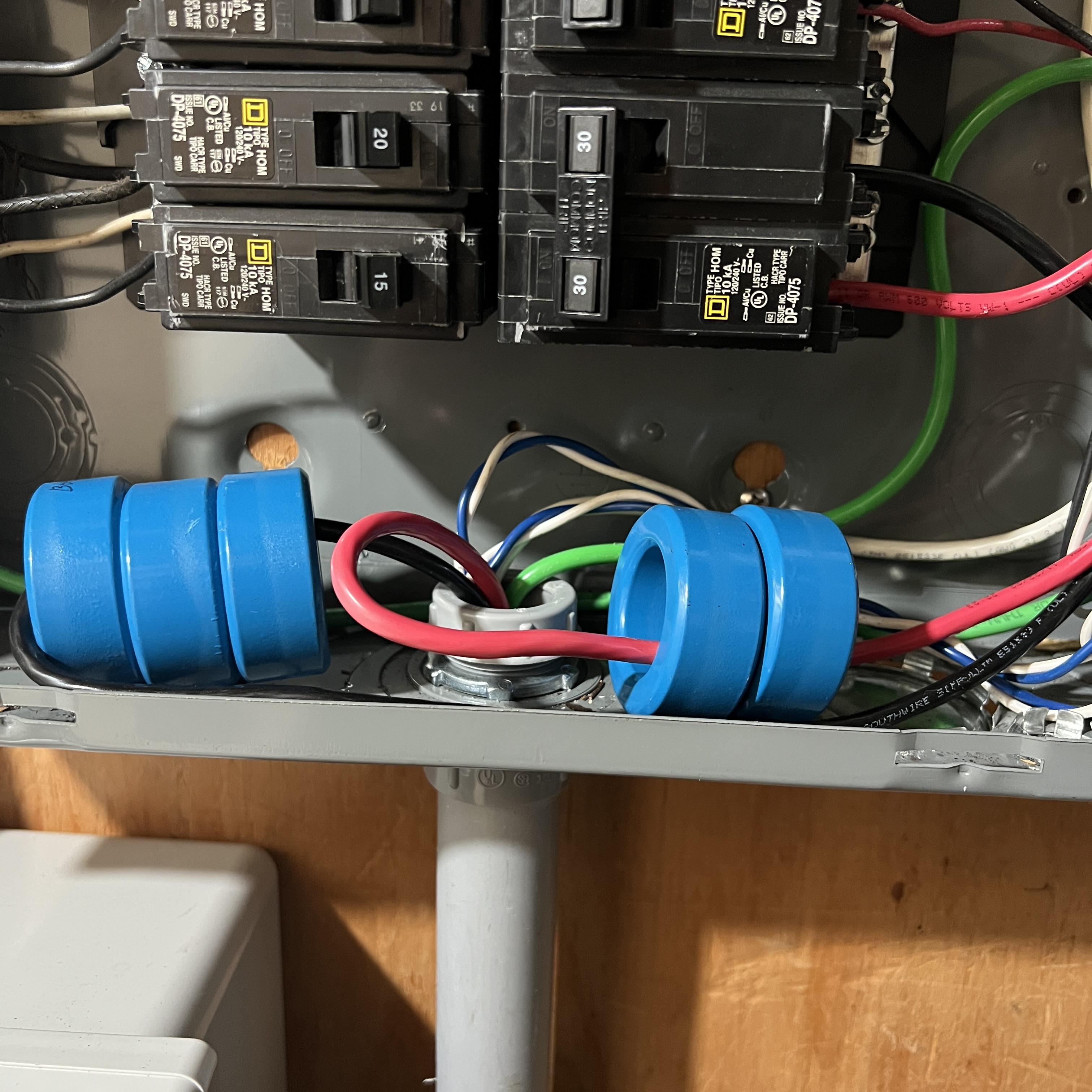
Simply, IQ Gateway is using differential mode signal over L1 and L2, so, Only differential noise filtering will hlep enovy. I have tried on the various configuration.
when install 3 ferrite on L1, and 2 ferrite on L2, shows the best result.
if double turn on ferrite, it can help a lot, BUT, ferrite can be saturated too easily.
I am logging INVENTORY.JSON to check the status of Micro-inverters in my system.
And, I found some flags are 'false' but inverter is producing power while some flags are fail.
I am not sure the flag is correct, or wrong flag due to the noise.
Recently, some micro-inverters lost communcation with gateway, and, the lost flags are happening more frequenctly, and, the flag error is happening before lost communcation.
the lost communication is happening when the production level is higher than 220W mostly.
the communication is recovering when the production level is going under 200~220W.
farest inverter from the gateway is under 100ft,
and, only 6 inverters in a group,
the grid voltage is around 250V while lost communcation.
I have checked without any extra filter (such as ferrites) on the grid side and check the status in cloudy day,
and, I found so many flag error (but no communcation loss when production power is under 200W)
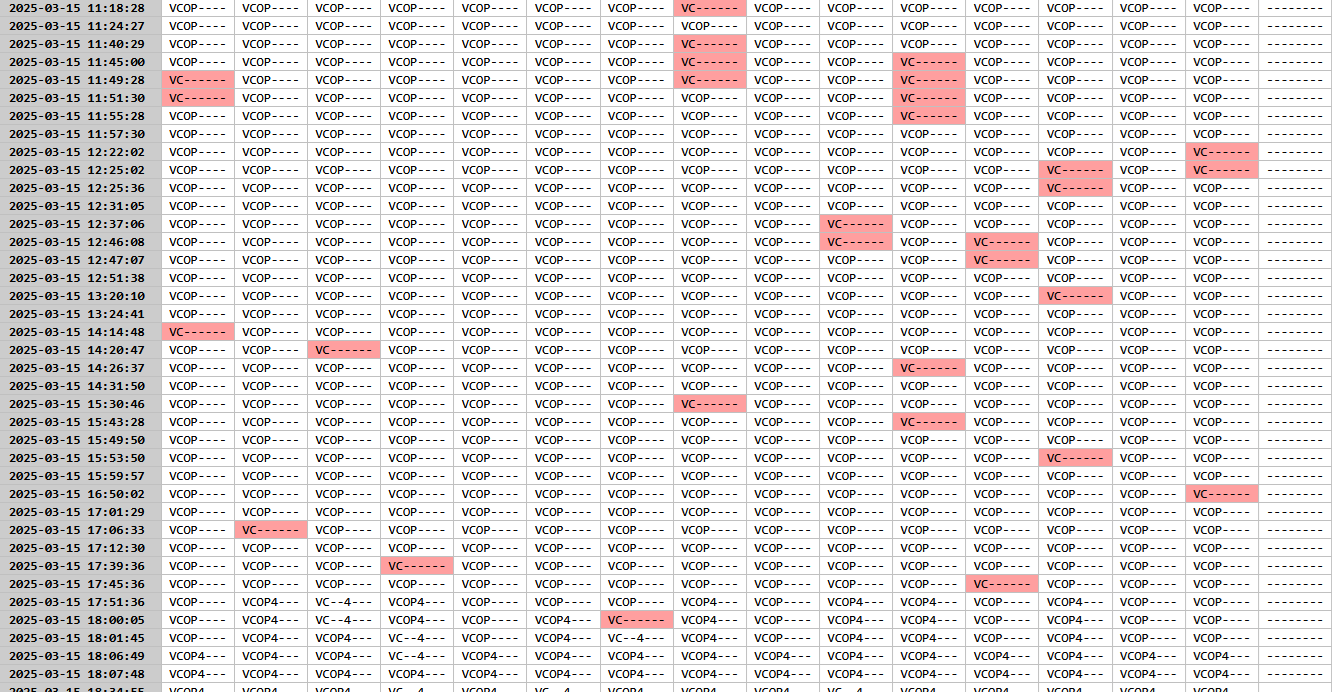
I have install 3 ferrites on L1, 2 ferrites on L2 on grid side, and monitor the status while cloudy day
no more flag error, so, it is an evidence my gateway is affected by an external noise.
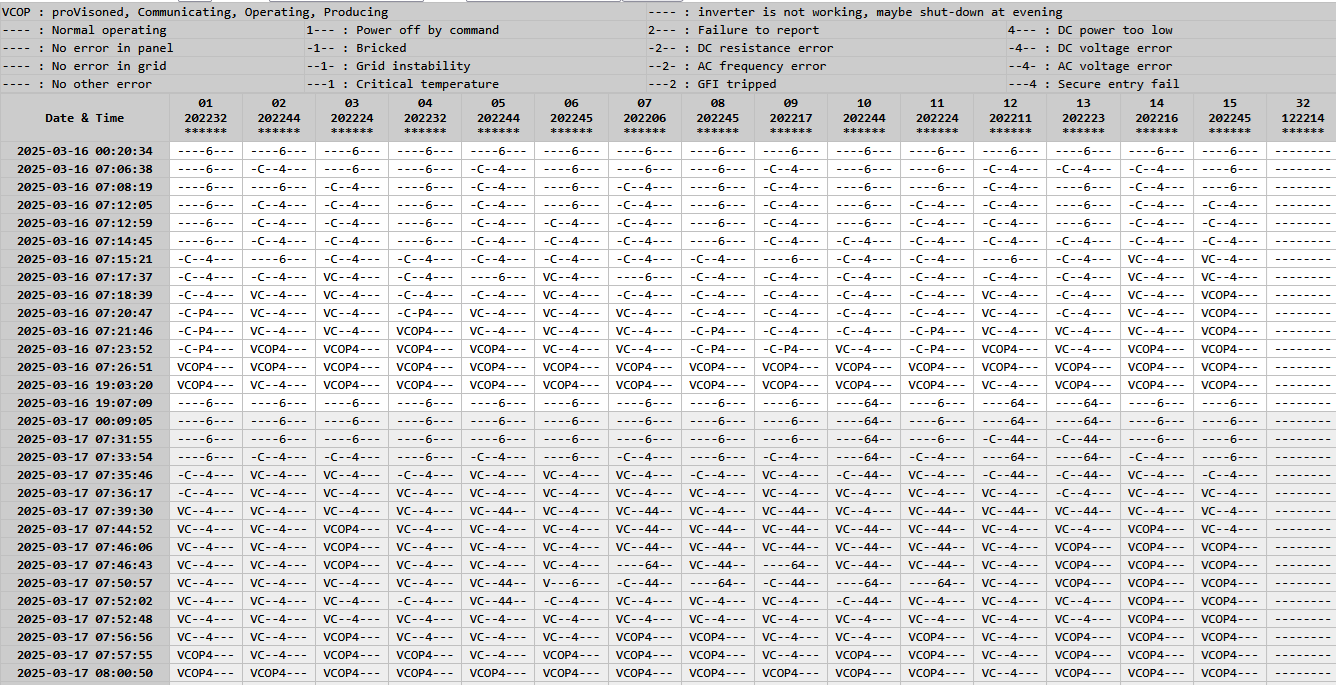
Just problem is, the noise level is not high enough at the situation (Enphase PLC noise detection graph)
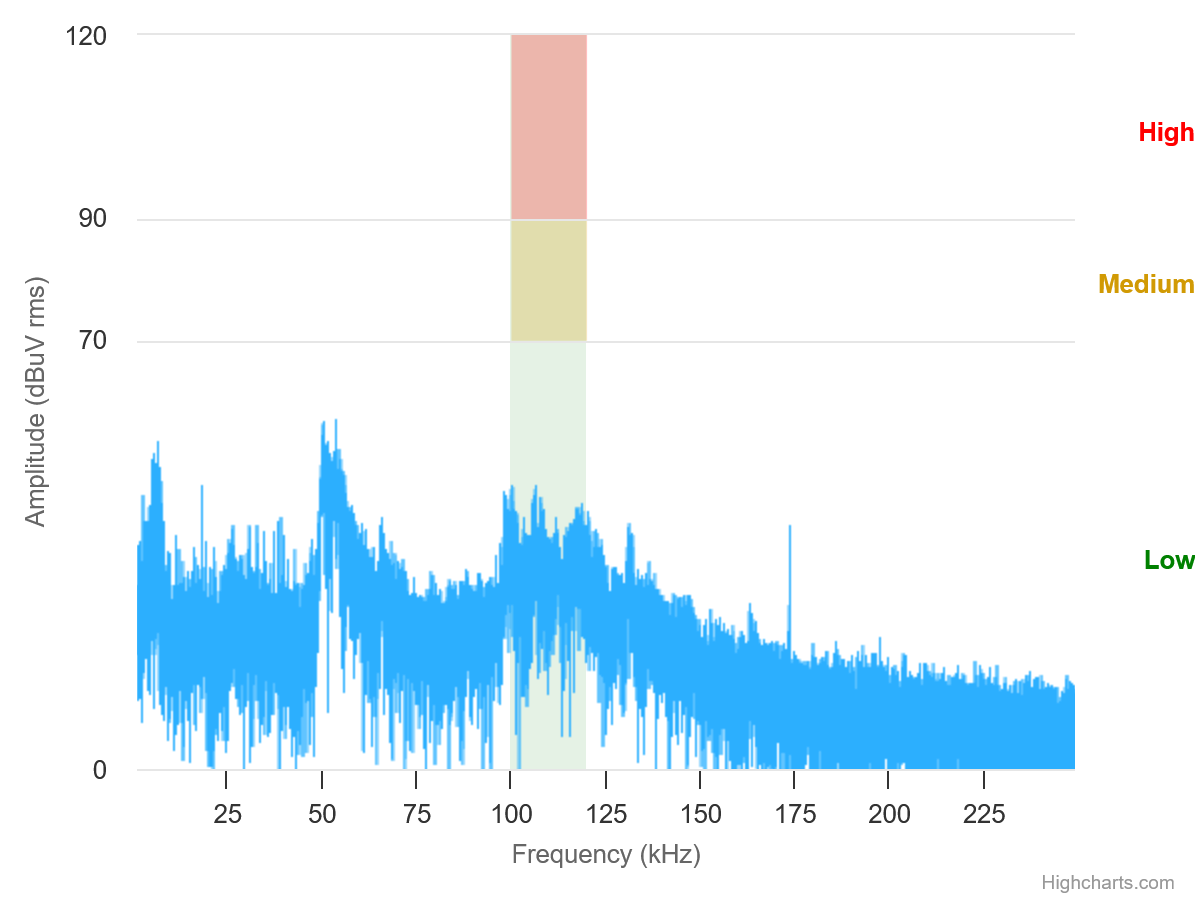
at the noisy environment, it is easy to reduce the noise signifcantly,
But, it is really hard to reduce the noise when quiet (under 50dBuV) environment.
To answer on FORM/POST for login
Dim result As String = ""
Dim WEB = New Net.WebClient()
Dim LoginData As System.Collections.Specialized.NameValueCollection = New System.Collections.Specialized.NameValueCollection()
LoginData.Add("user[email]", ID) // depend on the form field title
LoginData.Add("user[password]", PW) // depend on the form field title
Try
result = Text.Encoding.UTF8.GetString(WEB.UploadValues(URL, "POST", LoginData))
Catch ex As Exception
result = ""
End Try
It is pretty easy to apply
Dim WEB = New Net.WebClient()
WEB.Headers("Content-Type") = "application/json"
WEB.Headers("Authorization") = "Bearer " & varTokenTry
result = WEB.UploadString(varURL&, "POST", "")
Catch ex As Exception
Return ("")
End TryReturn result
Just add a token into header, and can access URL
There are so many web base devices, and some webserver device do not have a valid certification,
While access HTTPS using Webclient, will get a trouble with Certification if there is no valid one.
When I access Envoy Local Servier using HTTPS, I have expericed it.
First, create a Validation Server Function as below
Public Function ValidateServerCertificate(ByVal sender As Object, ByVal certificate As Object, ByVal chain As Object, ByVal sslPolicyErrors As Net.Security.SslPolicyErrors) As Boolean
Return True
End Function
And, Connect the validate server as
Net.ServicePointManager.ServerCertificateValidationCallback = New System.Net.Security.RemoteCertificateValidationCallback(AddressOf ValidateServerCertificate)
When call HTTPS using Webclient, Webclient server will call the user defined server code, and can over-ride an error
You can put the code into MAIN() -0r- Sub New() once
From Evnvoy FW7, Just can login into Enovy using Bearer Token,
I have made a simple code using VB.NET to
(1) Retrieve a Token from Enphase Token Website
(2) Using the Token, access Enovy's Data
Note. Need to add a certification validating code for Envoy, because envoy's certification is not valid.
Note. Ihave added json.vb for JSON file decord and using in the code
Recently, I have bought Tesla Model 3, and I have decided to expand solar power for this vehicle.
and, Installed 4 used panel which have bought from eBay
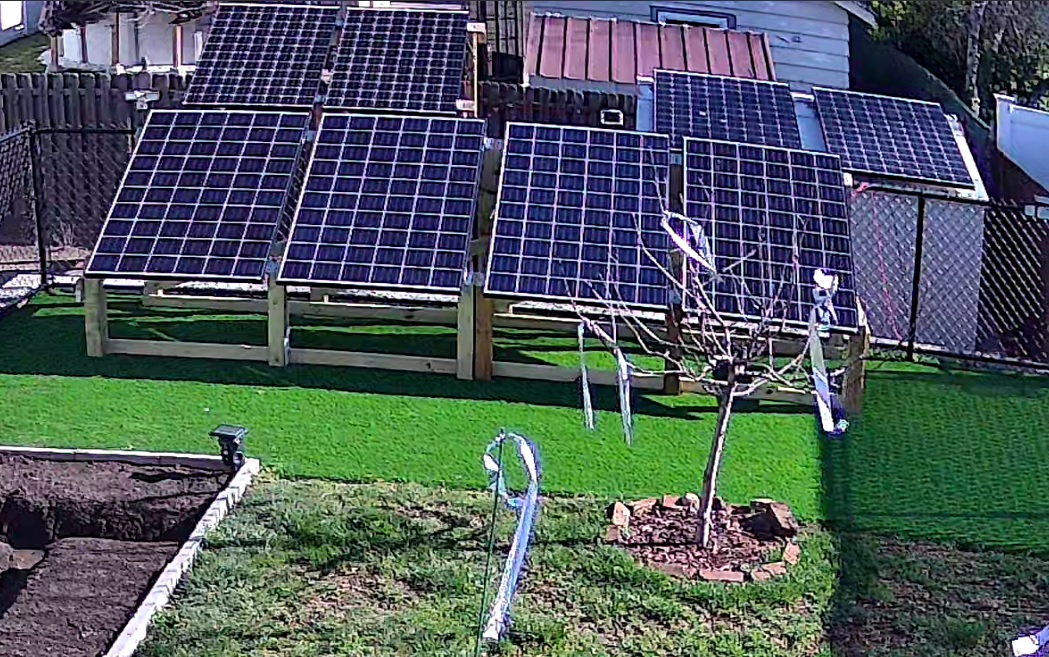
270W panels, 10+ years old, and the actual power is around 240~250W.
Include the wood frame, I have spent $200. Due to the power expansion, I have upgraded my charger also,
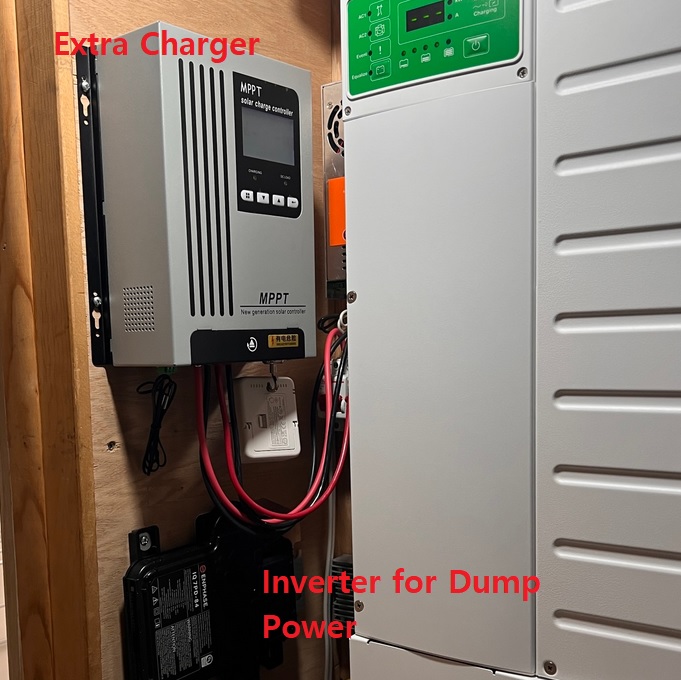
This is a 96V charger, but support 48V battery. and allowed up to 180V input (in H/W, 250V is maximum).
I have spent around $400 total, and $280 after tax credit.
the estimated energy per year is 900~1000kWh per year, it is $170~$185 value. and I can return my investment atter 1.5years.
When use a home back-up power using Generator or Inverter, the peak power usage of the centeral AC is the biggest trouble maker. such as I have been using XW Pro for the whole house back-up, this inverter has 6.8kW continous power and 13.2kW peak power base on the view of Central AC. This inverter can run my 2.5t Centernal AC's Compressor but there are so high tranformer noises.
I have decided to install a soft-starter to reduce the peak power demand when start-up,
My AC's LRA is 67A (16kW), it is too high to handle by my inverter, but, practical usage is just around 40A (10kW). it is why my inverter can support barely. BUT, if there is the other temporary load, my inverter will got damaged if running without a soft-starter.
my AC is not smart enough, and it can be stalled, it means, can lost a key parts.
Micro-Air EasyStart 368 is an only solution in the market, this is the connection method
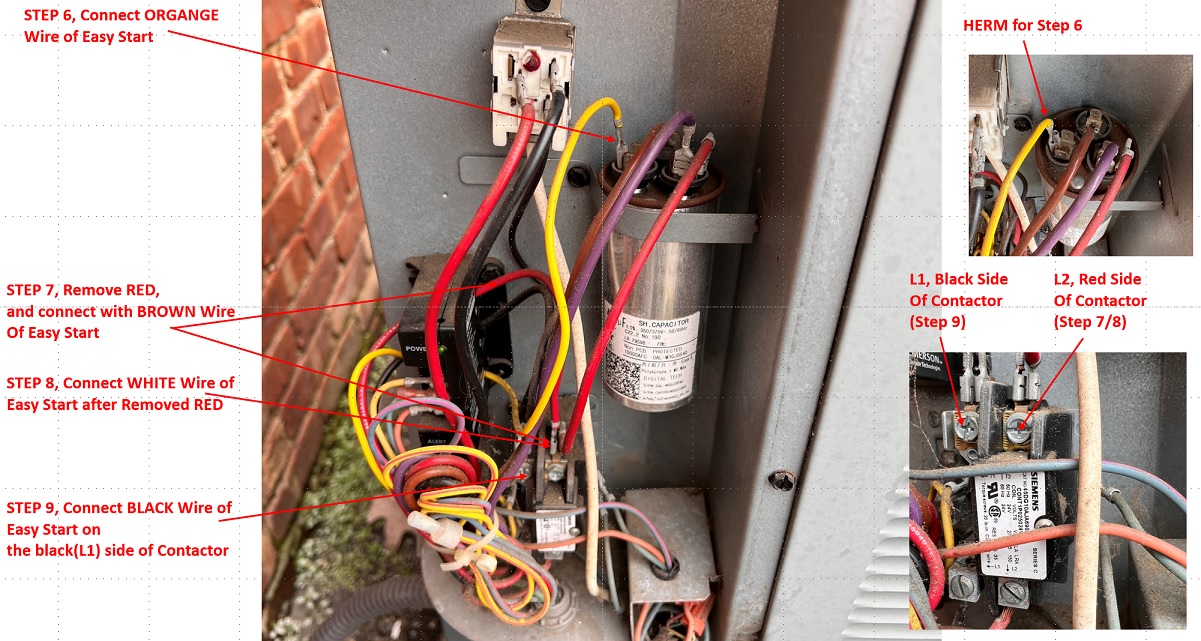
and, final
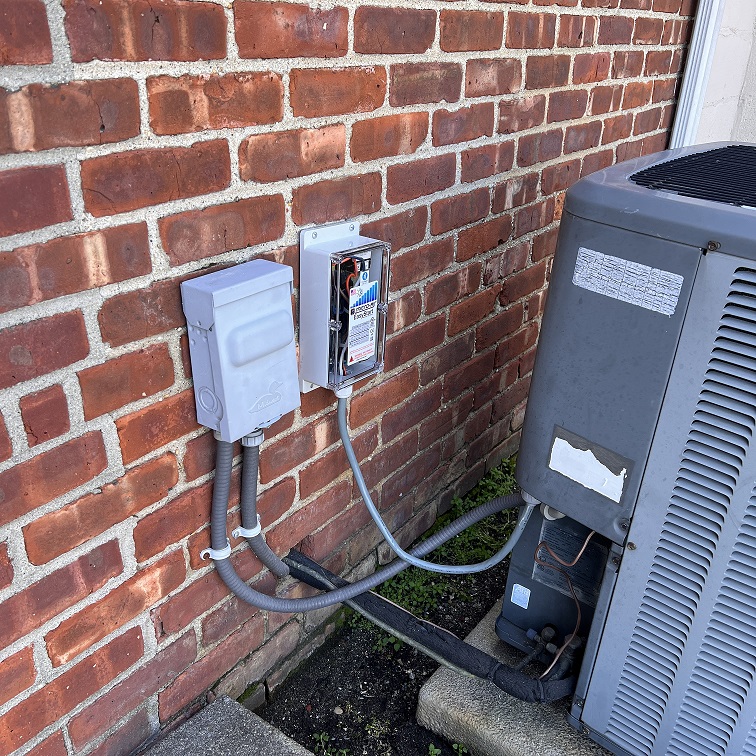
At the first run with soft-starter
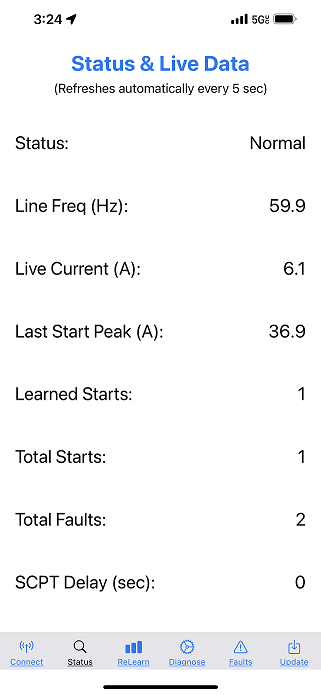
Peak demand is 37A (~9kW),
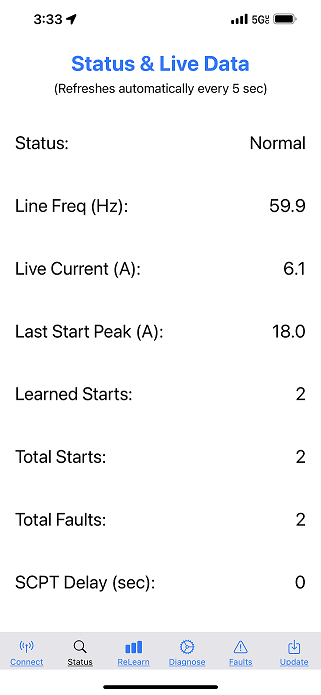
From the second run, the peak demand has reduced to 18A (~ 4.5kW), not, there is a marginal power for the other loads. and, Motor/Compressor starting power has soften clearly.
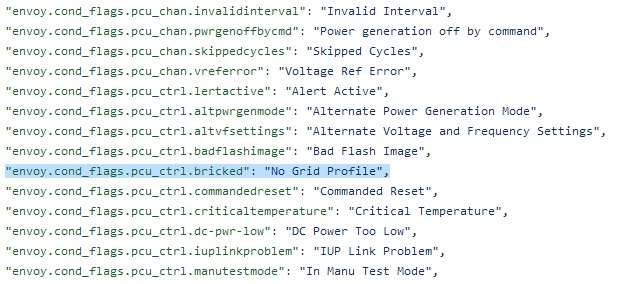
'No Grid Profile' means the inverter has bricked,
and then, recovered by watch-dog reset.
and, 5min start-up delay.
If say a result first, nothing improved yet.
More evidence(users) are complaining Ehphase IQ7+ Inverters are showing Random Produciton Drop with 'No Grid Profile' error with Firmware v4.27 or v4.28. I have thought firmware v4.28 can resolve the issue, but, not.
Now, I decide to change wiring for all inverters to check the difference.
This is the current layout, there is no issue at Rear Roof, Only issue at Front Side Upper/Lower Roof.
So, I just try to simplify the front root layout.
This is the current layout,
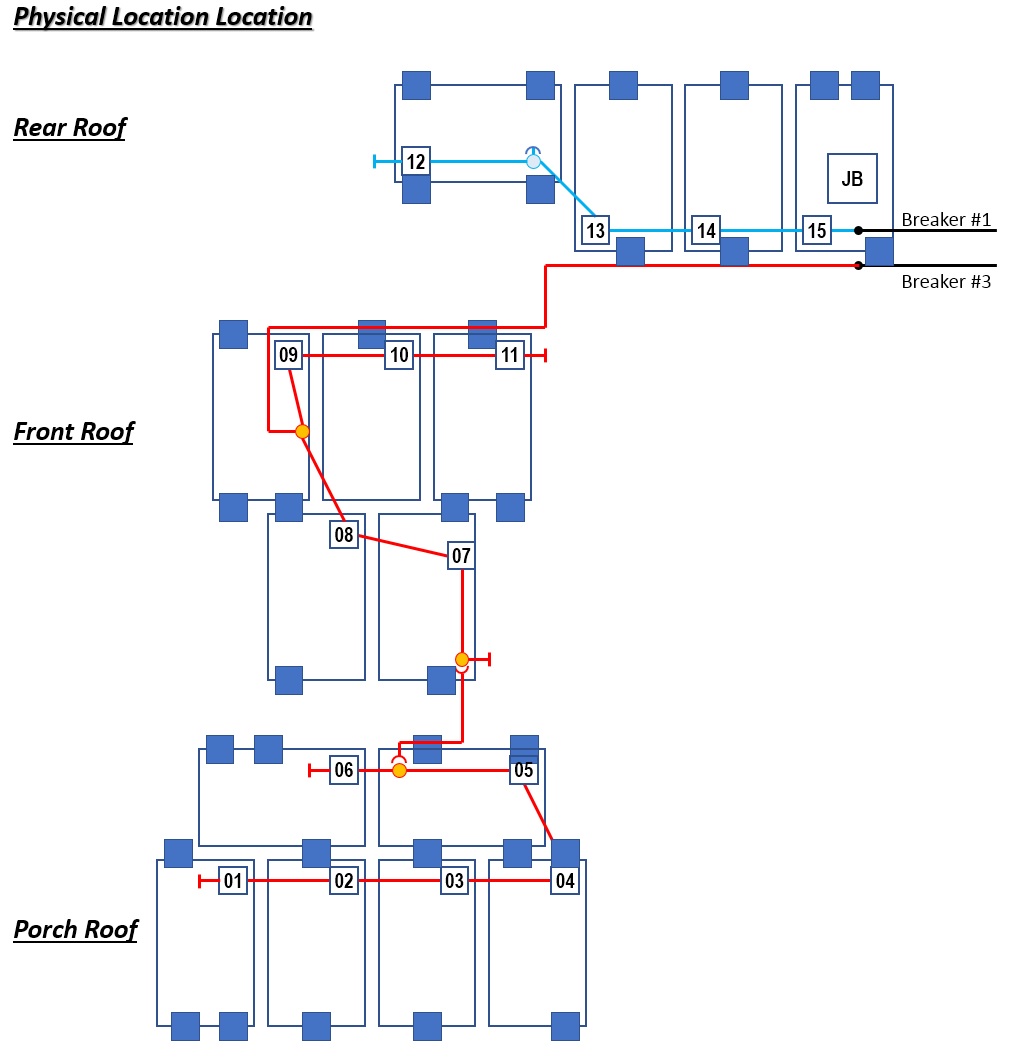
i have updated the layout as below
(1) rear roof - I have reduced the Q-cable length by 4'
(2) front roof - change the wiring, and reduce the power on the wire by half. the length has reduced by 4'. and, it is a new wire from roof to load-center usung 10 AWG THHN-2, have installed an independent breaker.
(3) porch - direct to JB, No more path thru on front roof panels, so, the power path have reduced by 12'
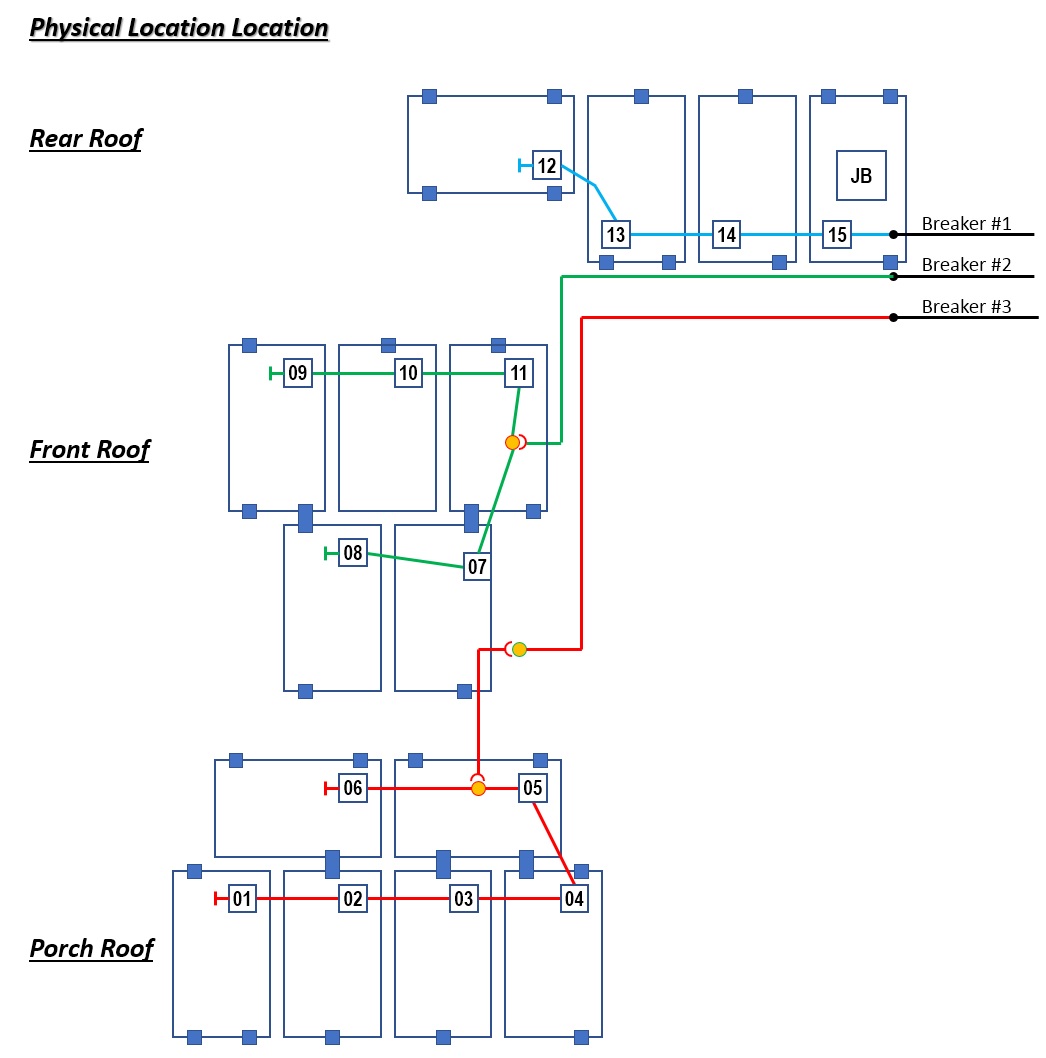
Base on my calculation, this change has lmproved for the voltage rising and interference of panels (inverters).
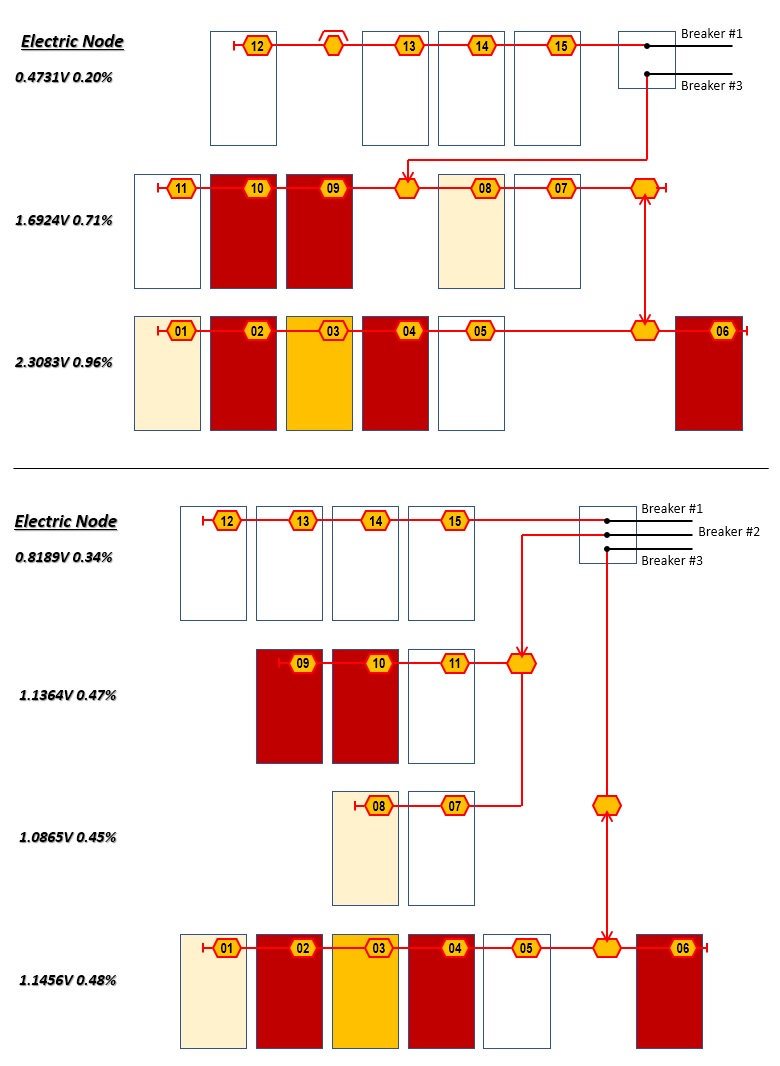
The first day of test, I cannot find any noticeable difference. actually, the inverters are showing error continously. (OTL), but, I wish to compare the difference before/after the layout changes (if there is any improvements)
1. Will getting worse
2. Not related with GRID - no need to check grid or profile
3. Just power on reset - at first power on reset, it is showing 'Grid Instability Error' because no grid profile
https://support.enphase.com/s/question/0D52G00004ZVmwjSAD/anyone-else-having-issue-with-some-of-their-iq7-microinverters-randomly-dropping-out-around-the-same-time-every-day
https://support.enphase.com/s/question/0D53m00007P62ncCAB/grid-instability-issue-anyone-have-similar-issue-

